Downloading Data
You can download the content of a Dandiset using the DANDI Web application (such a specific file) or entire Dandisets using the DANDI Python CLI.
Using the DANDI Web Application
Once you have the Dandiset you are interested in (see more in Exploring Dandisets), you can download the content of the Dandiset.
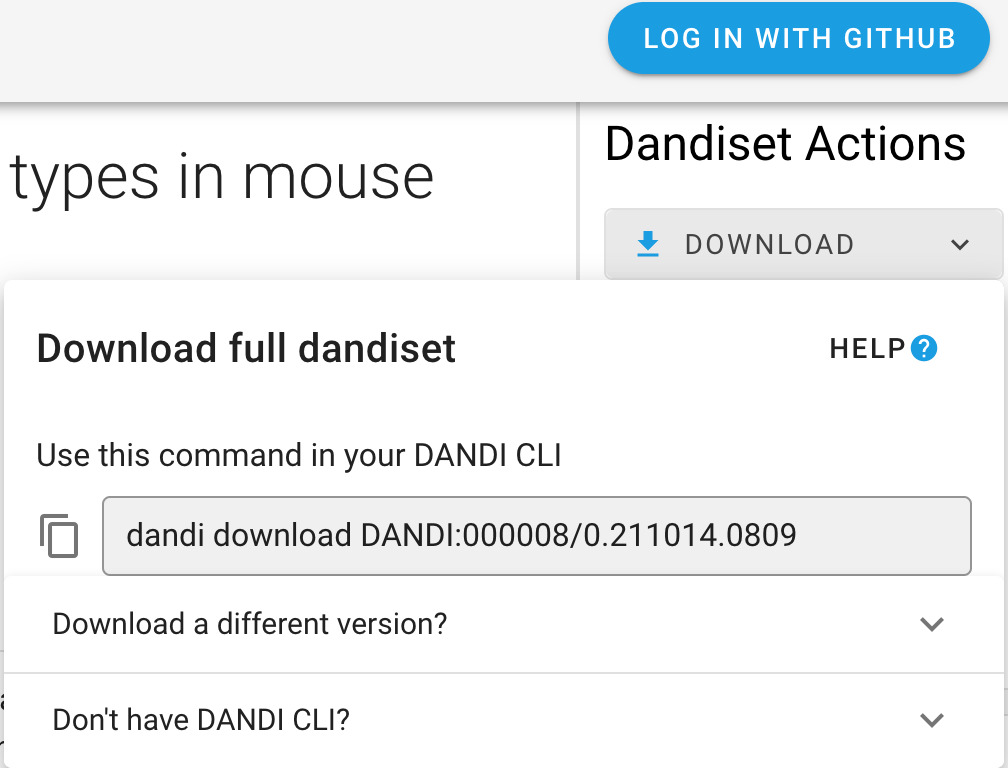
On the landing page of each Dandiset, you can find Download button on the right-hand panel. After clicking the
button, you will see the specific command you can use with DANDI Python CLI (as well as the information on how to download the CLI).
Download specific files
The right-side panel of the Dandiset landing page allows you also to access the list of folders and files.
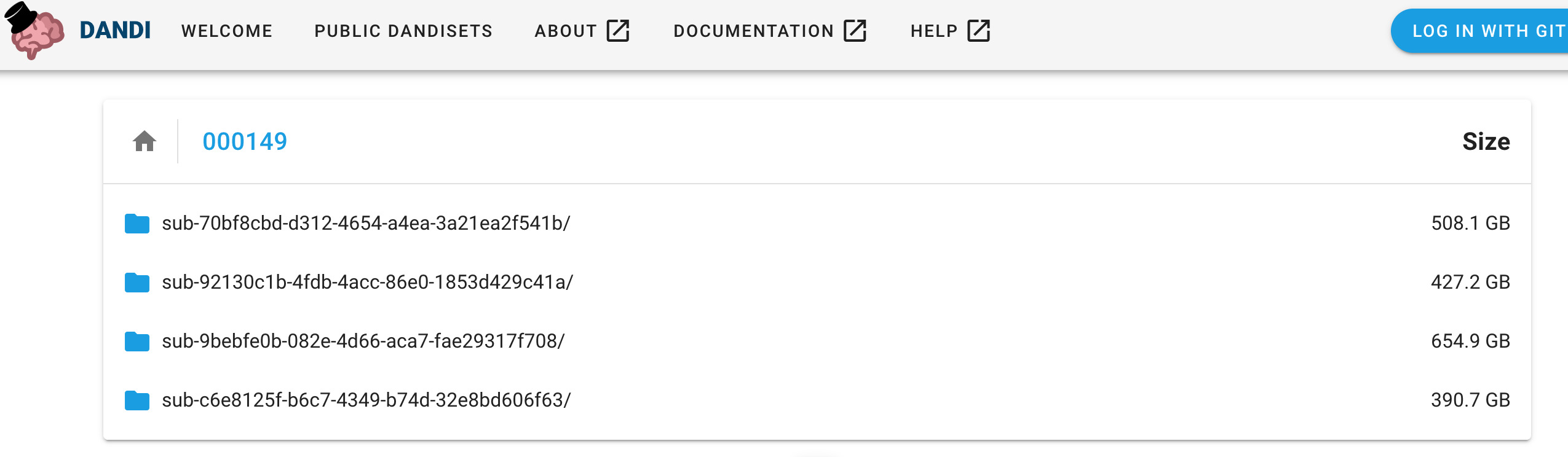
Each file in the Dandiset has a download icon next to it, clicking the icon will start the download process.
Using the Python CLI Client
The DANDI Python client gives you more options, such as downloading entire Dandisets.
Before You Begin: You need to have Python 3.9+ and install the DANDI Python Client using pip install dandi.
If you have an issue using the DANDI Client, see the DANDI Client docs.
Download a Dandiset
To download an entire Dandiset, you can use the same command as suggested by DANDI web application, e.g.:
dandi download DANDI:000023
Download data for a specific subject from a Dandiset
You can download data for specific subjects.
Names of the subjects can be found on DANDI web application or by running a command with the DANDI CLI: dandi ls -r
DANDI:000023.
Once you have the subject ID, you can download the data, e.g.:
dandi download "https://api.dandiarchive.org/api/dandisets/000023/versions/draft/assets/?path=sub-811677083"
You could replace draft with a specific non-draft version you are interested in (e.g. 0.210914.1900 in the case of this Dandiset), if you are not interested in the latest, possibly different state of the Dandiset.
You can also use the link from DANDI web application, e.g.:
dandi download "https://dandiarchive.org/dandiset/000023/0.210914.1900/files?location=sub-541516760"
Download a specific file from a Dandiset
You can download a specific file from a Dandiset when the link for the specific file can be found on the DANDI web application, e.g.:
dandi download https://api.dandiarchive.org/api/dandisets/000023/versions/0.210914.1900/assets/1a93dc97-327d-4f9c-992d-c2149e7810ae/download/
Hint: dandi download supports a number of Resource Identifiers to point to a Dandiset, folder, or file. Providing
an incorrect URL (e.g. dandi download wrongurl) will provide a list of supported identifiers.
Download the dandiset.yaml file and a specific file within the directory tree of the Dandiset
Now available in version 0.63.0 is the --preserve-tree option.
In the command below, replace the <dandiset-id>, <version>, and asset <path>.
The <path> can be found by selecting the View asset metadata icon next to an asset on https://dandiarchive.org and locating the path key.
dandi download --preserve-tree dandi://dandi/<dandiset-id>@<version>/<path>
For example:
dandi download --preserve-tree dandi://dandi/000026@draft/sub-I58/ses-Hip-CT/micr/sub-I58_sample-01_chunk-01_hipCT.json
Using DataLad
All dandisets are regularly mirrored to DataLad datasets which are made available at the GitHub organization https://github.com/dandisets.
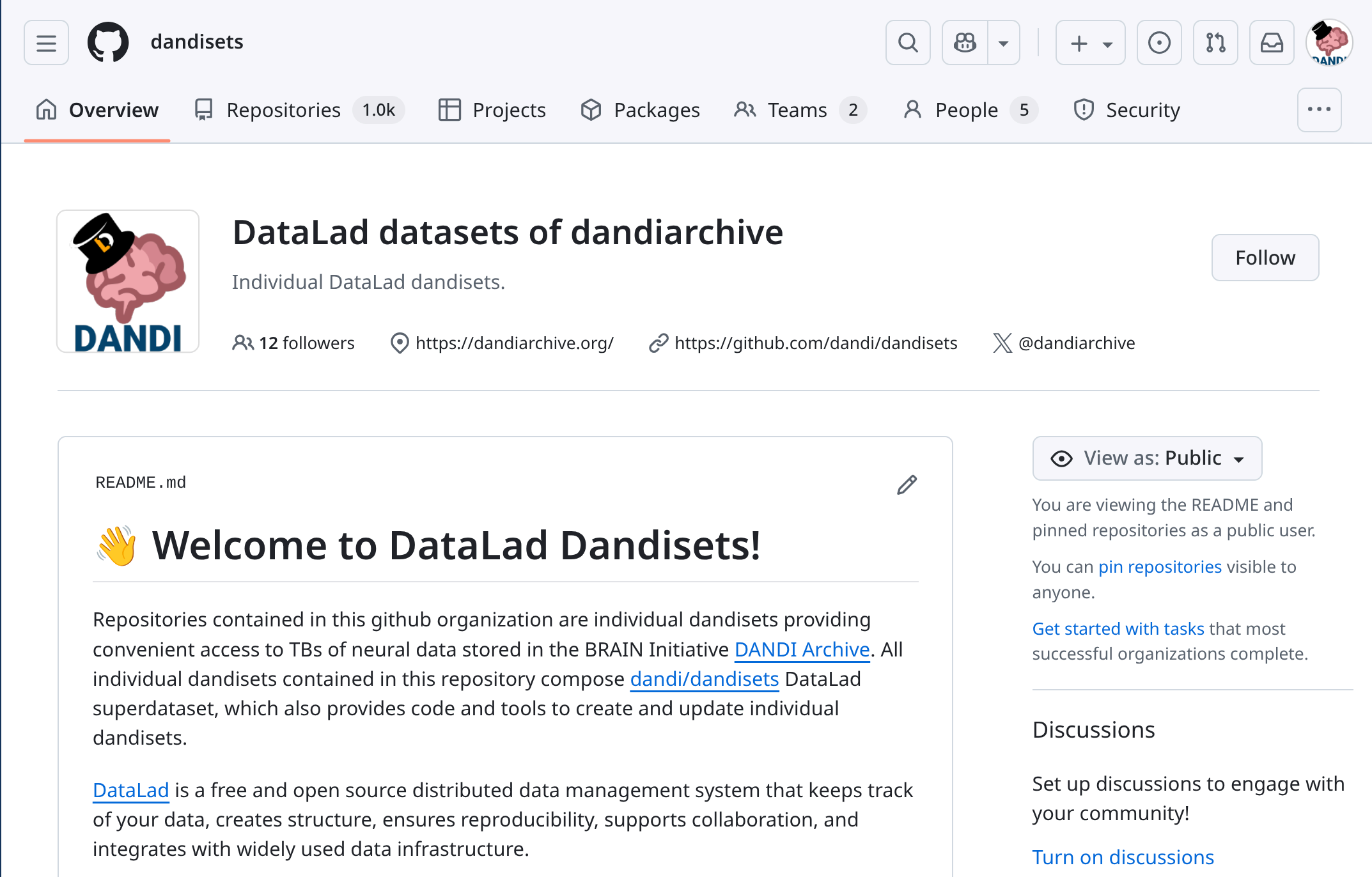
Each Dandiset is represented as a separate DataLad dataset. https://github.com/dandi/dandisets/ is a DataLad superdataset that includes all individual Dandiset datasets as subdatasets (git submodules). Where present, individual Zarr assets are included as subdatasets (git submodules) hosted in the GitHub organization https://github.com/dandizarrs/.
The Git revision histories of each dataset reflect the Dandiset's draft state as of each execution of the mirroring job. Published Dandiset versions are tagged with Git tags.
With DataLad, you can:
- clone an entire dataset,
- use a specific version of it,
- explore history of modifications,
- download content of files of interest,
- locally discard the content of no-longer-needed files,
- use the dataset in a reproducible manner,
- include it as a subdataset in your own DataLad dataset,
- use https://github.com/datalad/datalad-fuse/ to FUSE-mount individual locally-cloned dandisets so that their files' contents are transparently streamed to your DANDI/DataLad-unaware tools,
- etc.
Learn more about DataLad from its handbook at https://handbook.datalad.org/.
Developers' note: DataLad datasets are created using the dandi/backups2datalad tool which is also available for use by the community to similarly maintain mirrors of independent DANDI deployments as DataLad datasets.
Using WebDAV
Service discontinued
The DANDI WebDAV service (formerly at https://webdav.dandiarchive.org/) has been brought down and is no longer available.
If you have a use case that would benefit from a WebDAV interface to DANDI, please let us know at info@dandiarchive.org so we can consider bringing the service back.
In the meantime, DANDI data remains accessible via the DANDI CLI, DataLad, or S3 directly.
The service's source code remains available at https://github.com/dandi/dandidav/ for anyone wishing to run their own deployment.
Using S3 Directly
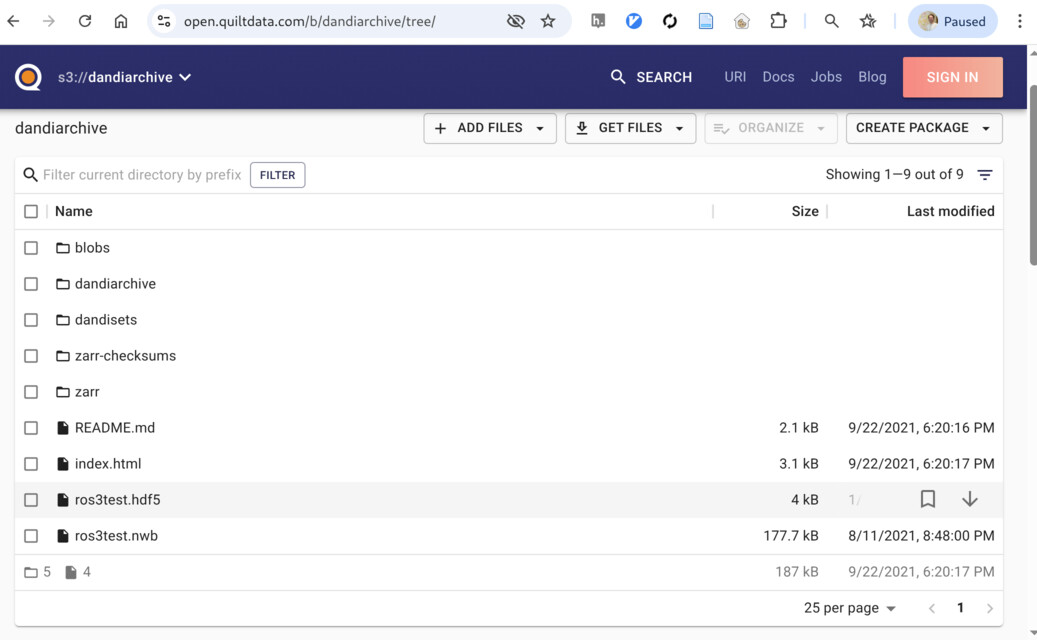
DANDI stores all asset content in the public AWS S3 bucket dandiarchive.
Any S3 client (e.g. aws s3, rclone) works, and individual objects are also reachable over plain HTTPS using URLs of the form https://dandiarchive.s3.amazonaws.com/<key> — no AWS account or authentication is required for non-embargoed data.
The bucket has three top-level folders relevant to data access:
blobs/— content of individual (non-Zarr) assets, named by a hash-derived key (e.g.blobs/58c/537/58c53789-eec4-4080-ad3b-207cf2a1cac9).zarr/— content of Zarr assets, each laid out as the original Zarr directory tree underzarr/<zarr-id>/.dandisets/— per-Dandiset manifests that map each Dandiset version to the specific entries it contains underblobs/andzarr/.
Because blobs/ and zarr/ are keyed by content/identifier rather than by Dandiset path, you locate files by starting from dandisets/.
Browsing the bucket via Quilt
Quilt offers a web UI for browsing the bucket — convenient for exploration without installing an S3 client.
Locating files for a specific Dandiset version
Each Dandiset version lives at dandisets/<dandiset-id>/<version>/, where <version> is either a published version (e.g. 0.260218.2052) or draft/ for the current draft state — for example, https://open.quiltdata.com/b/dandiarchive/tree/dandisets/000003/0.260218.2052/.
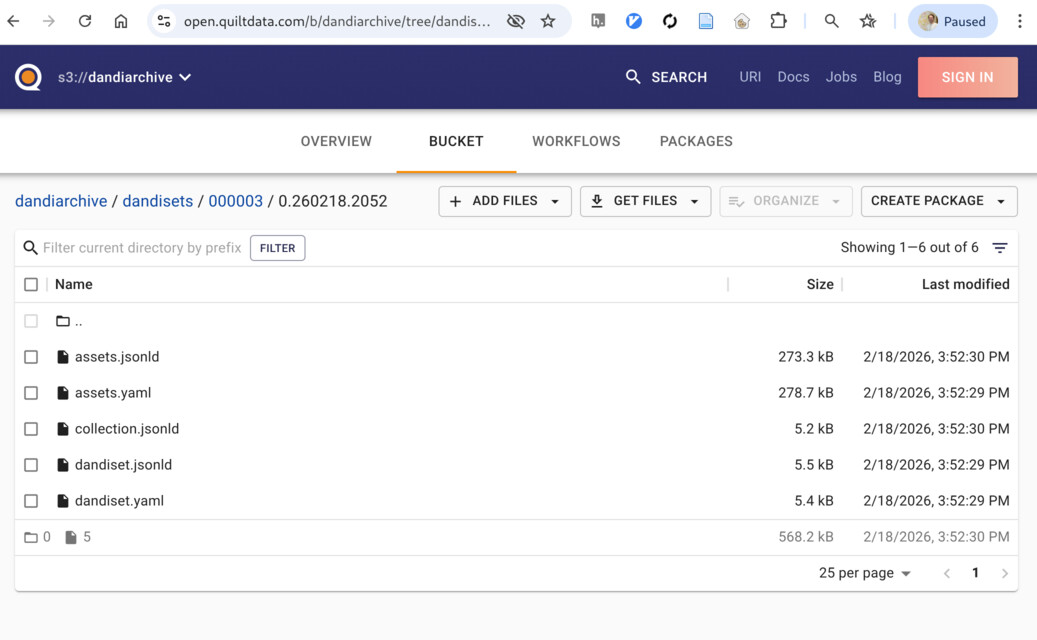
Inside this folder you will find:
dandiset.yaml/dandiset.jsonld— Dandiset-level metadata.assets.yaml/assets.jsonld— every asset in this Dandiset version, with its originalpathand one or morecontentUrlentries (e.g. https://open.quiltdata.com/b/dandiarchive/tree/dandisets/000003/0.260218.2052/assets.yaml).
Each asset's contentUrl lists two URLs:
- A DANDI API download URL (
https://api.dandiarchive.org/api/assets/<id>/download/) — use this for embargoed Dandisets where authenticated access is required. - A direct S3 URL (
https://dandiarchive.s3.amazonaws.com/blobs/...or.../zarr/<zarr-id>/) — anonymous and fastest for public data.
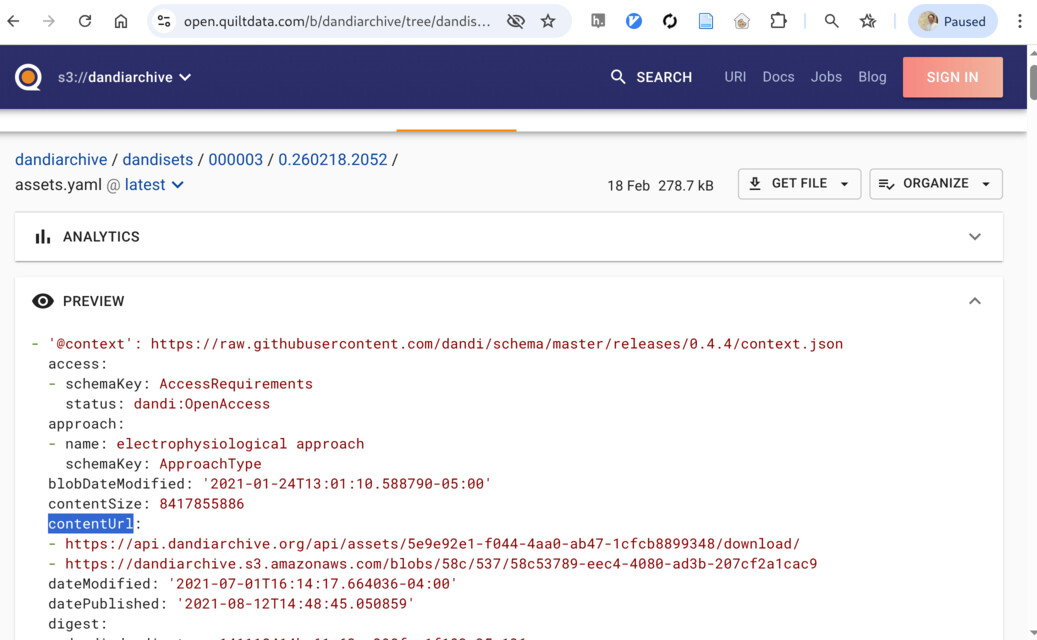
For example, an entry might read:
path: sub-YutaMouse20/sub-YutaMouse20_ses-YutaMouse20-140327_behavior+ecephys.nwb
contentUrl:
- https://api.dandiarchive.org/api/assets/5e9e92e1-f044-4aa0-ab47-1cfcb8899348/download/
- https://dandiarchive.s3.amazonaws.com/blobs/58c/537/58c53789-eec4-4080-ad3b-207cf2a1cac9
The S3 URL can then be fetched with any tool — for example:
wget https://dandiarchive.s3.amazonaws.com/blobs/58c/537/58c53789-eec4-4080-ad3b-207cf2a1cac9 -O sub-YutaMouse20_..._behavior+ecephys.nwb
Note: DataLad already encodes this Dandiset-version-to-S3-location mapping inside git-annex, so datalad get resolves files transparently without you having to read assets.yaml yourself.